Have you ever received a message and noticed “RCS” and wondered, what does RCS mean in text? 🤔 In today’s digital world, messaging has evolved far beyond SMS.
RCS, or Rich Communication Services, is at the forefront, transforming how we text. This guide will help you understand everything about RCS, from its origin to real-life usage examples, so you can communicate smarter and more efficiently.
What is RCS in Text Messages? 🤳
RCS stands for Rich Communication Services. It is the next-generation messaging protocol designed to replace traditional SMS (Short Message Service) and MMS (Multimedia Messaging Service). Unlike SMS, RCS allows for enhanced messaging features like high-resolution images, read receipts, typing indicators, and group chats—all without relying on third-party apps.
Key Features of RCS Messaging
- Read Receipts: Know when your messages are read.
- Typing Indicators: See when the other person is typing.
- High-Resolution Media: Send photos and videos in higher quality.
- Group Chats: Enhanced group messaging capabilities.
- Interactive Buttons: Include quick actions and responses.
Origin of RCS: How It All Started 📜
RCS was first developed by the GSM Association (GSMA) in 2007 to modernize mobile messaging. Its goal was to bring features similar to internet-based apps like WhatsApp and iMessage directly to carrier networks. Over the years, major companies like Google and Samsung have adopted RCS to make it widely available on Android devices.
RCS vs SMS vs MMS: Understanding the Differences 🆚
| Feature | SMS | MMS | RCS |
|---|---|---|---|
| Media Support | Text only | Images & videos (low quality) | High-res images, videos, GIFs |
| Read Receipts | No | No | Yes |
| Typing Indicators | No | No | Yes |
| Group Messaging | Limited | Limited | Advanced |
| Internet Requirement | No | No | Yes (but carrier-based) |
How RCS Works in Text Messaging ⚙️
RCS uses your mobile carrier’s network or an internet connection to enhance traditional messaging. It integrates with your default messaging app on Android, allowing SMS-like simplicity with app-like features. Unlike third-party apps, RCS is built into the phone, offering seamless messaging without needing extra downloads.
Examples of RCS in Daily Use 💬
Here are some practical examples of how RCS changes the texting experience:
- Sending a high-resolution photo of a vacation spot to friends without quality loss.
- Seeing a “typing…” indicator when a friend is replying.
- Using interactive buttons in a message from your bank or delivery service.
- Participating in group chats with multiple friends, sharing images and polls.
Why RCS Matters in 2026 and Beyond 🌟
RCS is not just another messaging service—it’s a game-changer for personal and professional communication. Companies are using RCS to send interactive promotional messages, confirmations, and alerts, all while maintaining a secure and verified channel.
Pros and Cons of Using RCS ✅❌
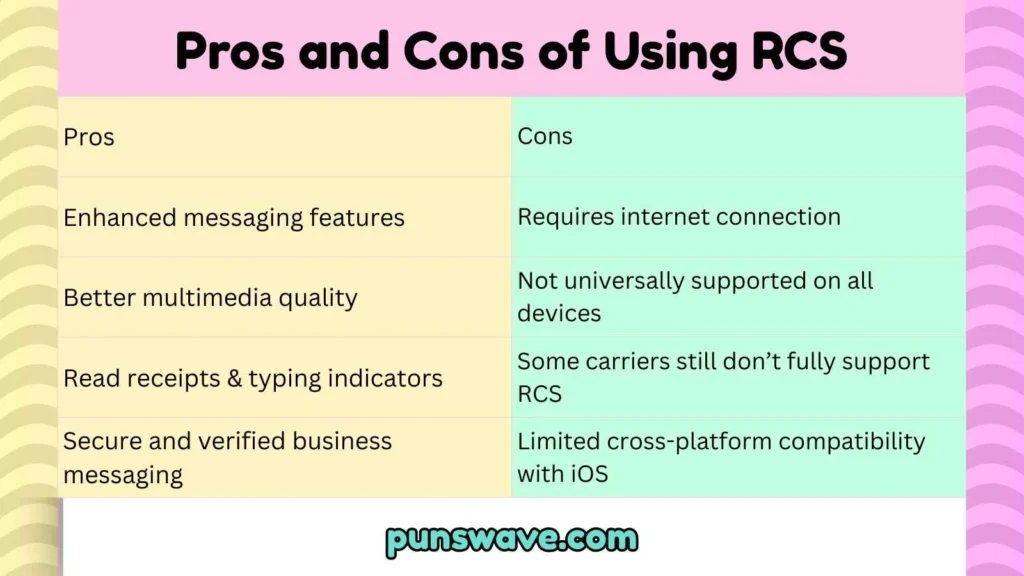
| Pros | Cons |
|---|---|
| Enhanced messaging features | Requires internet connection |
| Better multimedia quality | Not universally supported on all devices |
| Read receipts & typing indicators | Some carriers still don’t fully support RCS |
| Secure and verified business messaging | Limited cross-platform compatibility with iOS |
RCS vs WhatsApp & iMessage: How It Stands Out 📲
While WhatsApp and iMessage offer similar features, RCS is carrier-based and integrated into your Android phone. It does not require a separate app download and can work with your phone number directly. Here’s a quick comparison:
- RCS: Carrier-based, integrated with default messaging, no separate app needed.
- WhatsApp: Internet-based, requires app installation, cross-platform.
- iMessage: Apple-only ecosystem, not available for Android users.
How to Enable RCS on Your Phone 🔧
Most Android phones now support RCS via the Google Messages app. Here’s how to enable it:
- Open Google Messages app.
- Go to Settings > Chat Features.
- Enable “Enable chat features”.
- Check for connected status to confirm RCS is active.
Common RCS Terms You Should Know 📚
- Chat Features: RCS features like typing indicators and read receipts.
- Verified Sender: Businesses verified to send trusted RCS messages.
- Fallback SMS: Messages sent as SMS when RCS is unavailable.
- End-to-End Encryption: Secure messaging for private conversations.
RCS Security and Privacy 🔒
RCS is more secure than SMS but currently not end-to-end encrypted by default for all messages. However, Google has been gradually rolling out end-to-end encryption for one-on-one chats, ensuring your texts remain private.
RCS for Business Messaging 💼
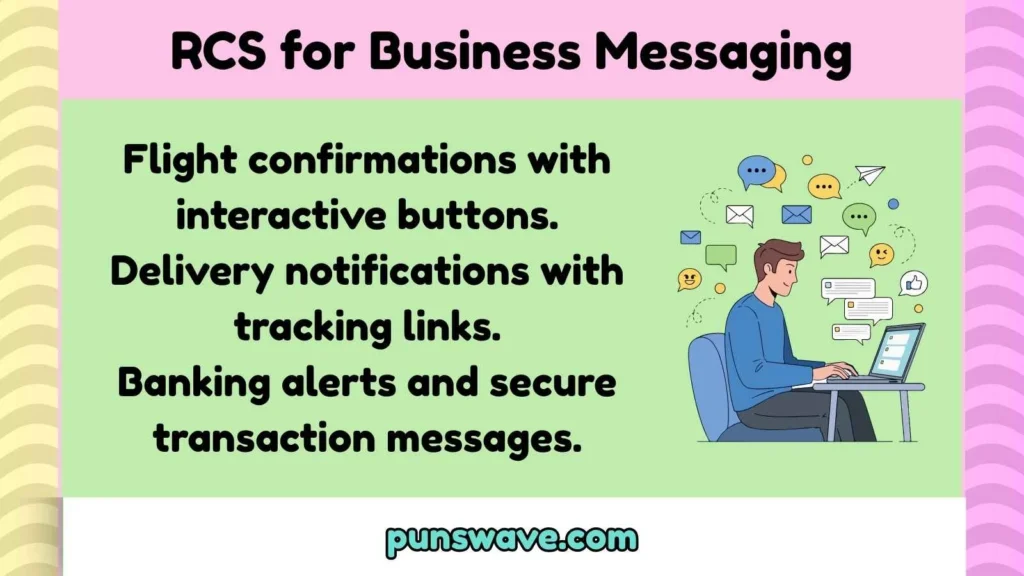
Businesses are increasingly using RCS to provide interactive customer experiences:
- Flight confirmations with interactive buttons.
- Delivery notifications with tracking links.
- Banking alerts and secure transaction messages.
Tips for Using RCS Like a Pro 🏆
- Always ensure chat features are enabled.
- Send high-quality images and videos to impress recipients.
- Use interactive buttons for easy engagement.
- Verify businesses before clicking any links in RCS messages.
RCS Limitations and Challenges ⚠️
While RCS is powerful, there are a few limitations to be aware of:
- Limited support on iOS devices.
- Depends on carrier support.
- Not all features are universally available.
- End-to-end encryption is still rolling out gradually.
Future of RCS: What to Expect 🚀
RCS is expected to grow in adoption across Android devices, with more businesses leveraging interactive messaging and better cross-platform integration. The ultimate goal is to replace SMS completely and provide a unified, rich messaging experience globally.
RCS Meaning in Text: Quick Recap 🔄
In short, RCS stands for Rich Communication Services, the modern upgrade to SMS. It offers enhanced messaging features like high-resolution media, read receipts, typing indicators, and business integrations—all designed to make texting smarter, faster, and more interactive. 📱
FAQs
1. Is RCS free to use?
Yes, RCS is typically free over Wi-Fi or mobile data. Some carriers may include data charges depending on your plan.
2. Can iPhone users receive RCS messages?
Currently, iOS does not support RCS. Messages sent from RCS to iPhone users will usually fall back to SMS/MMS.
3. Is RCS more secure than SMS?
Yes, RCS offers better security than SMS, including optional end-to-end encryption, but it’s not yet universally encrypted for all users.
4. How can businesses use RCS?
Businesses can use RCS for interactive notifications, confirmations, promotional messages, and customer support messages with verified and interactive elements.
5. Will RCS replace SMS completely?
Eventually, yes. As adoption grows and carriers fully support it, RCS is expected to replace SMS as the standard messaging protocol.
Final Thoughts ✨
RCS is more than just a buzzword—it’s the future of texting.
By understanding what RCS means in text and how to use it, you can enhance your messaging experience, communicate more effectively, and even take advantage of business opportunities. 🌟

I love exploring the meaning behind words and ideas, turning simple thoughts into clear and engaging content. At Punswave, I focus on explaining meanings in an easy and interesting way for everyone.